
How to access webmail
cPanel Webmail allows you to access your email accounts directly through a web browser, without the need for a separate email client. In this article, we’ll walk you through the steps to access your cPanel Webmail and manage your email accounts.
Step 1: Log in to cPanel
Learn how to log in to cPanel.
Step 2: Navigate to the Email Accounts Section
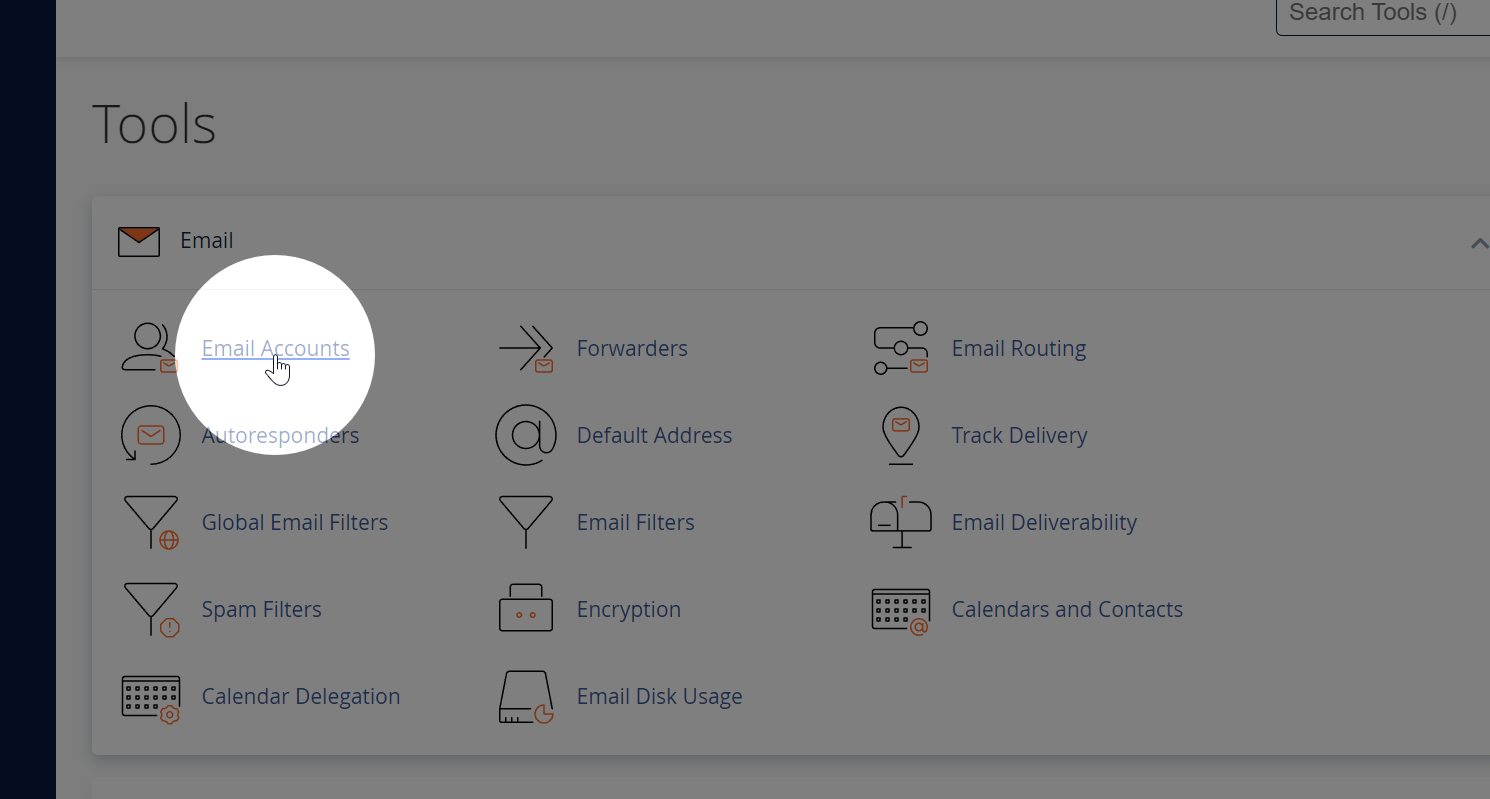
Once logged in to cPanel, locate the “Email” section and click on the “Email Accounts” icon. This will open the Email Accounts management page.
Step 3: Locate Your Email Account
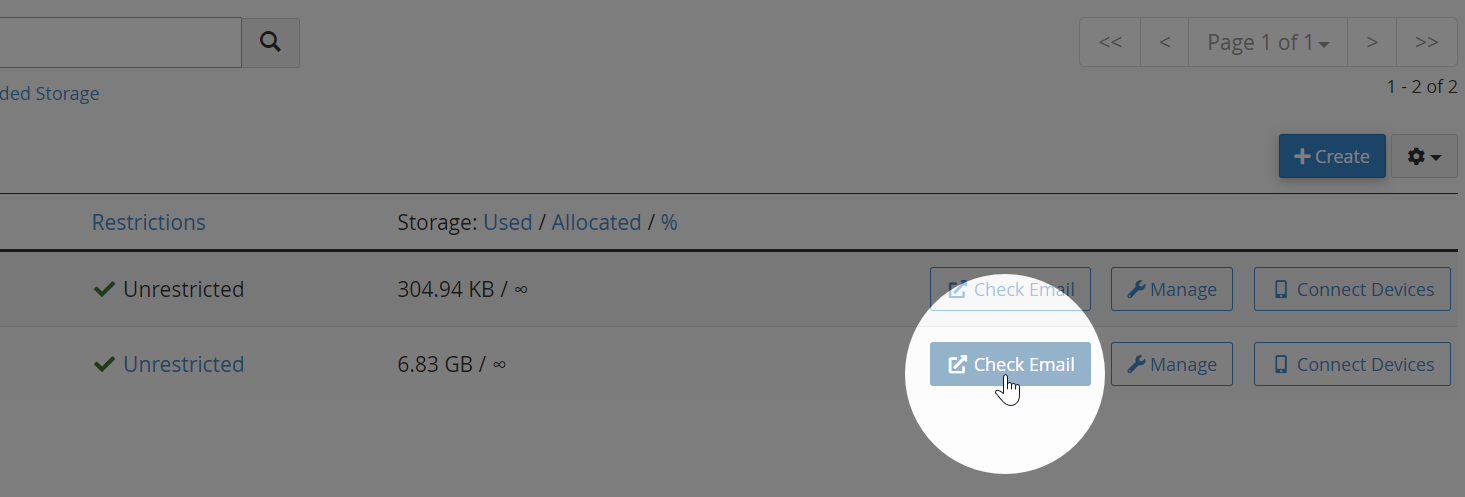
On the Email Accounts page, you’ll see a list of email accounts associated with your domain. Find the email account you wish to access and click on the “Check Email” or “Access Webmail” button next to it. This will open the Webmail login page for that specific email account.
Step 4: Launch Webmail Application
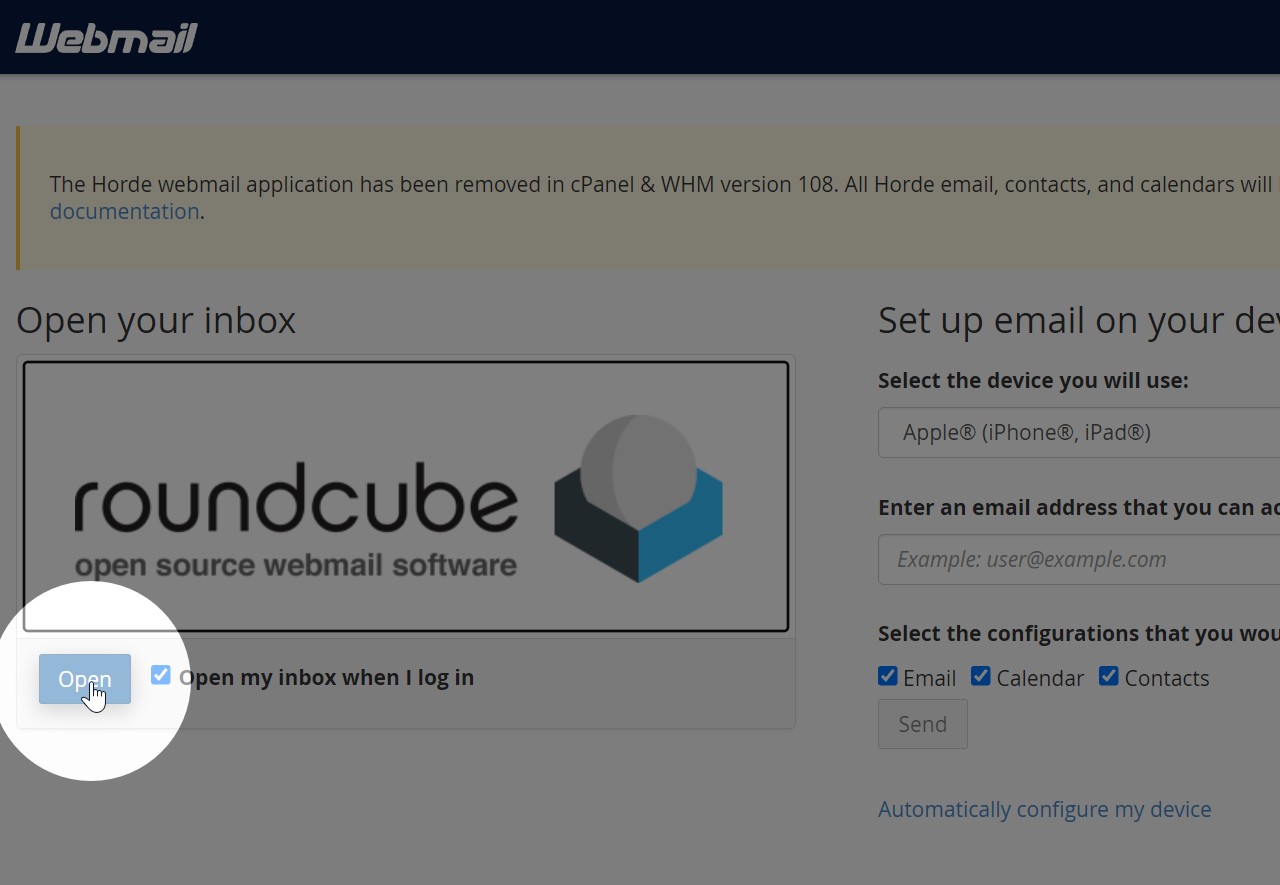
Select the Roundcube webmail link by clicking on its logo or the “Open” button next to it.
Step 6: Manage Your Email
Once inside the Webmail application, you can read, compose, and manage your emails just like you would with any other email client.
Need help?
Can't find what you're looking for? Our support team is here to help.