
How to change or reset your cPanel password
This guide will walk you through how to change or reset your cPanel password. Please note this is different to your Zume Client Area password. Learn how to reset your client area password.
If you know your current password
If you know your current cPanel password and are logged into cPanel, follow these steps.
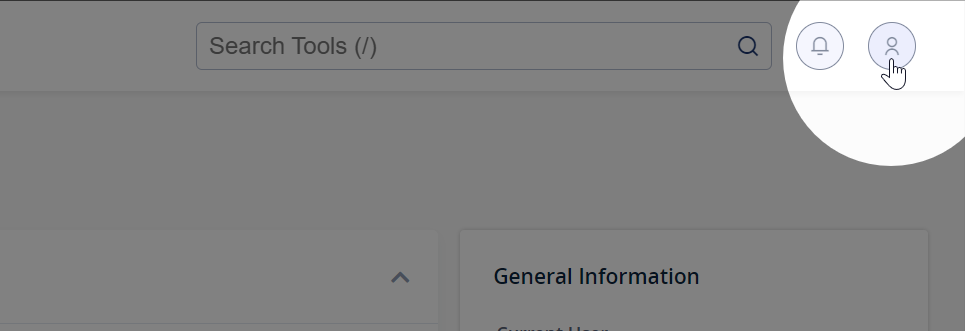
Step 1: Click the user icon in the top right corner of cPanel
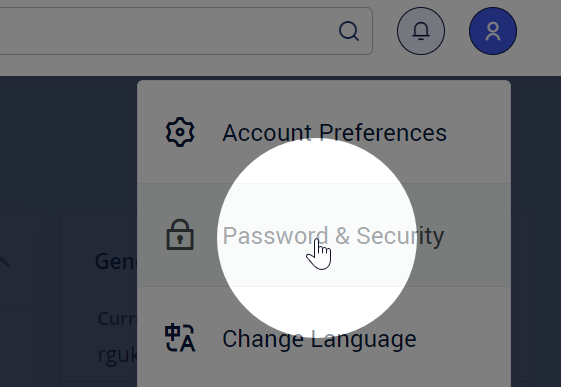
Step 2: Click Password & Security
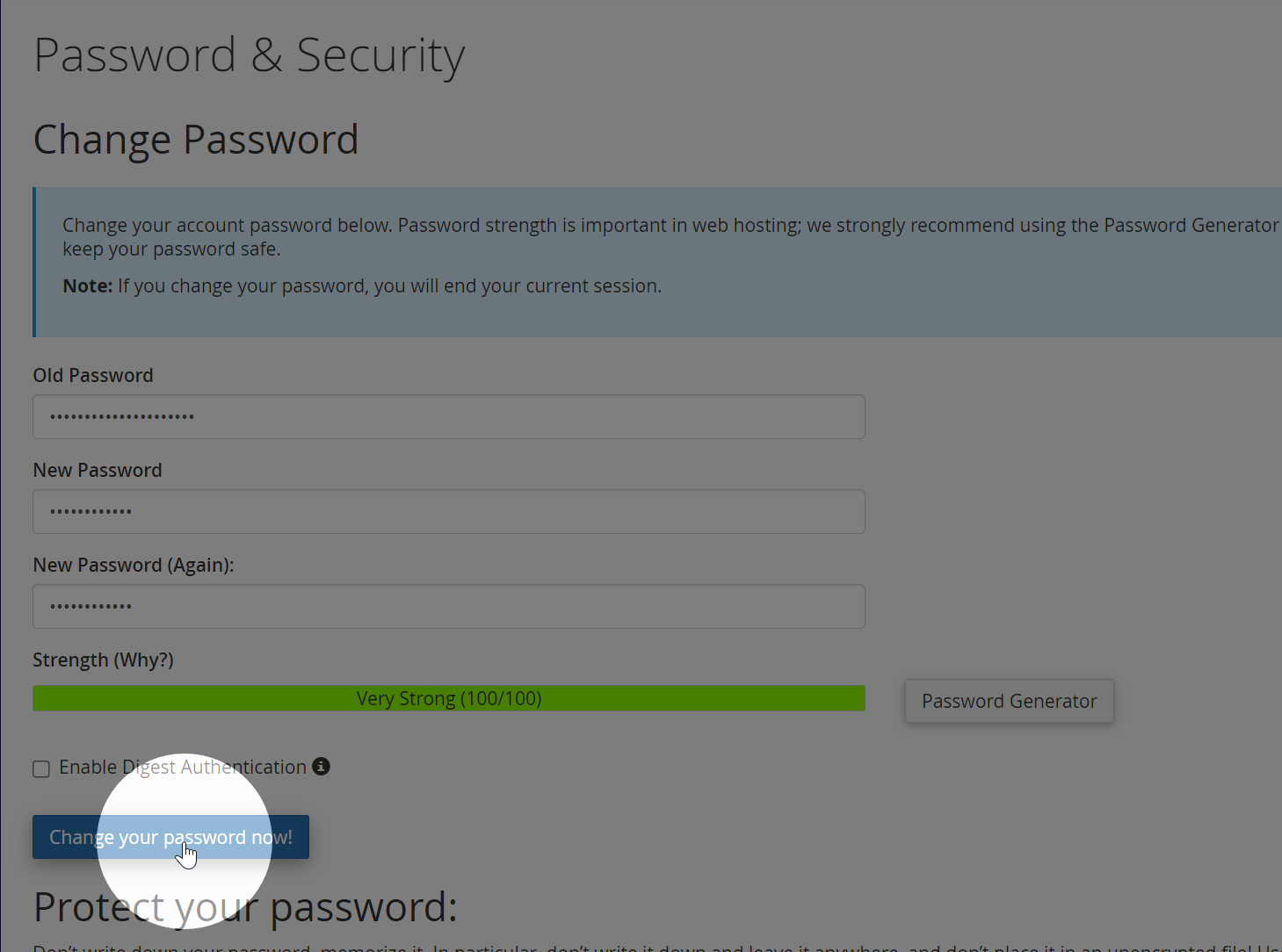
Step 3: Enter your old and desired new passwords, then click Change your password now!
If you do not know your current password
If you’ve forgotten your password, follow these steps.
Step 1: Log into the Zume client area.
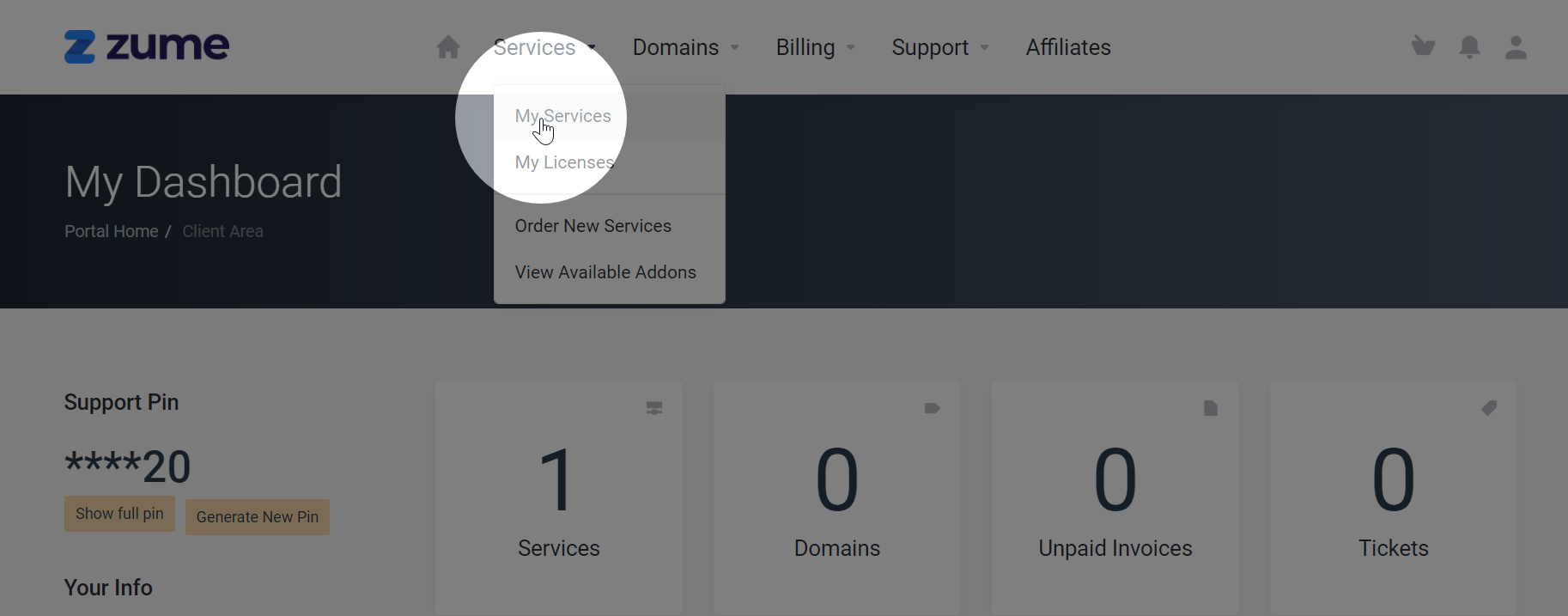
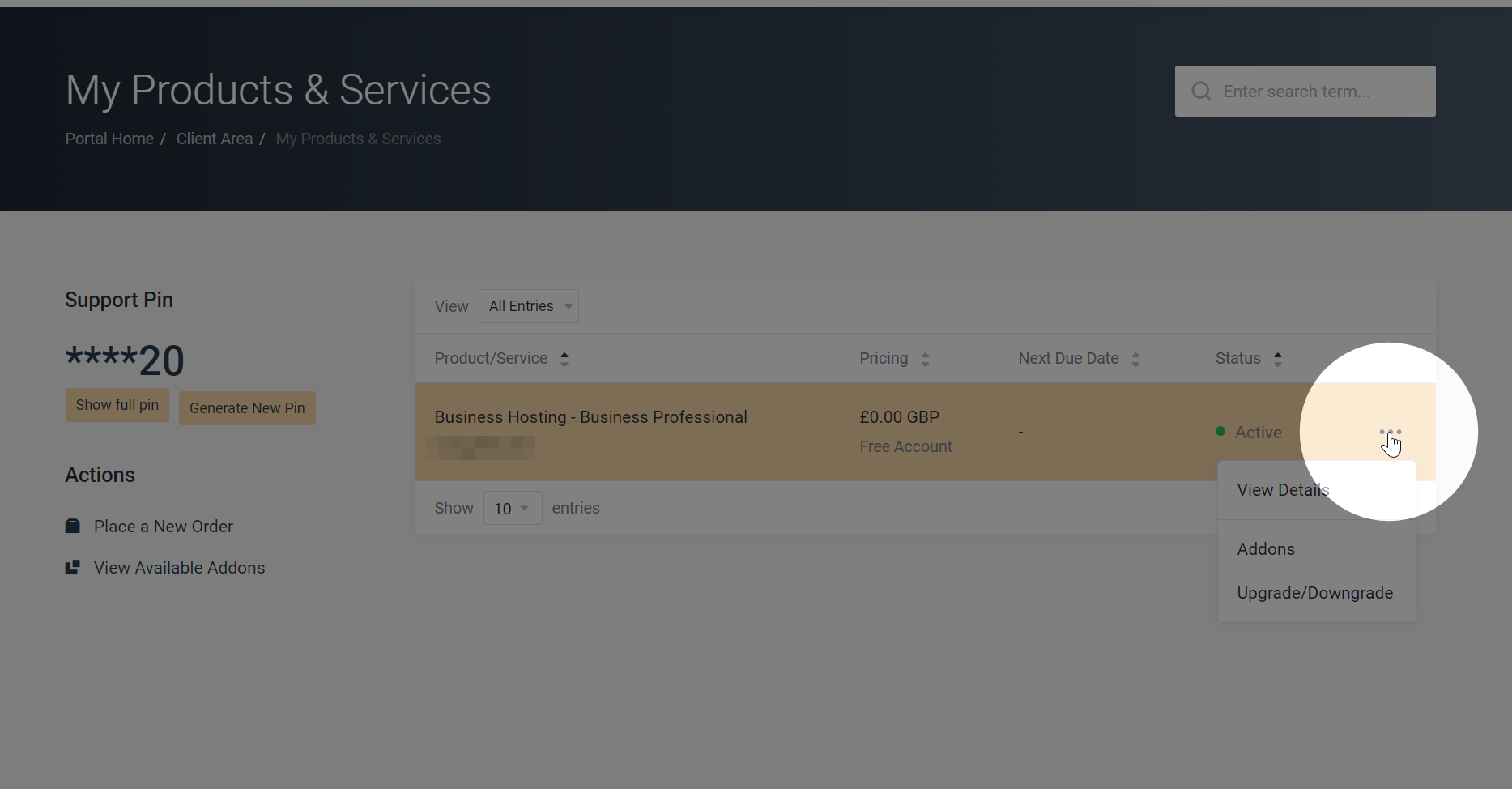
Step 2: Select My Services from the Services dropdown
Step 3: Select the 3 dots on the right of your service and click View Details
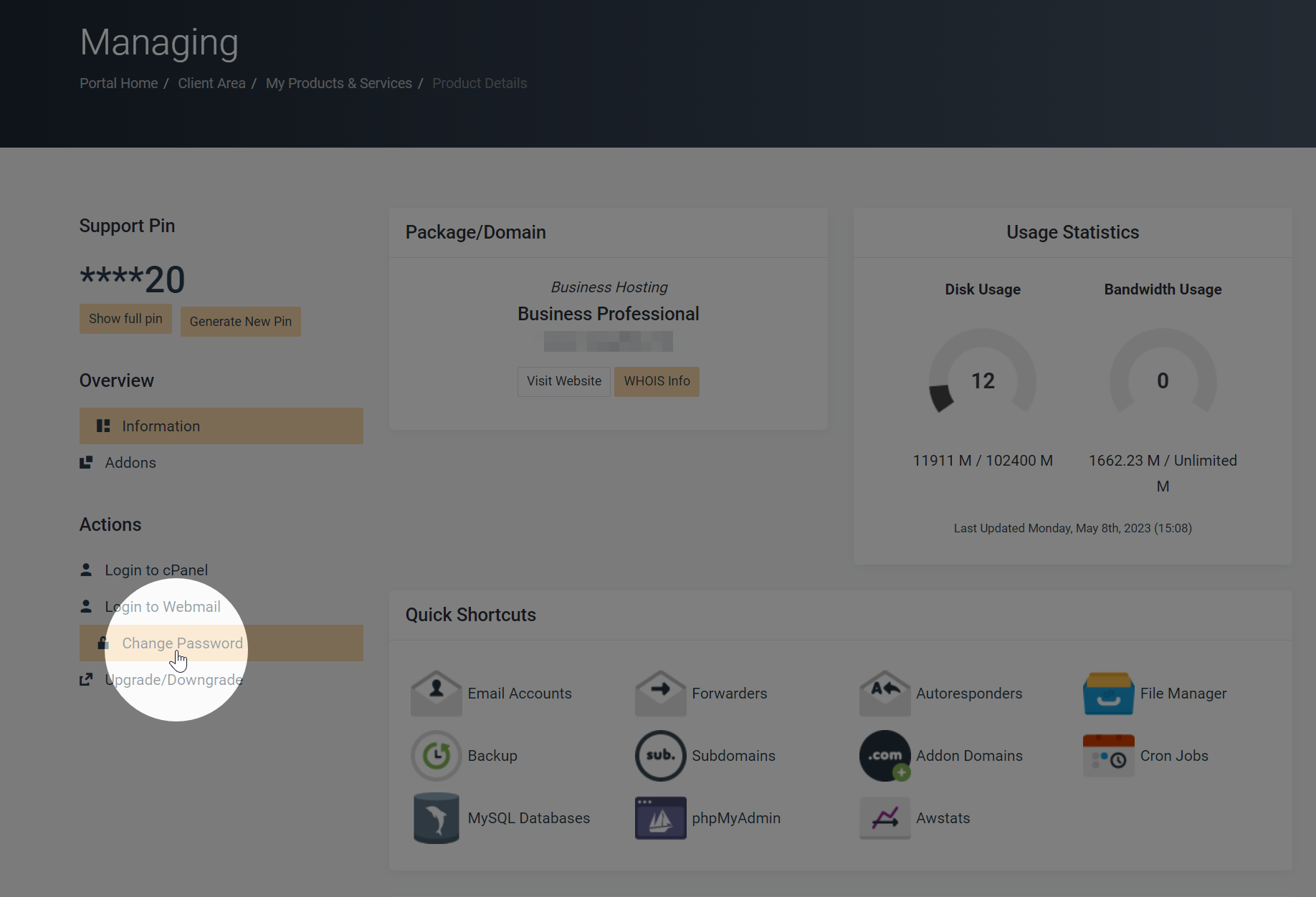
Step 4: Click Change Password on the left-hand menu
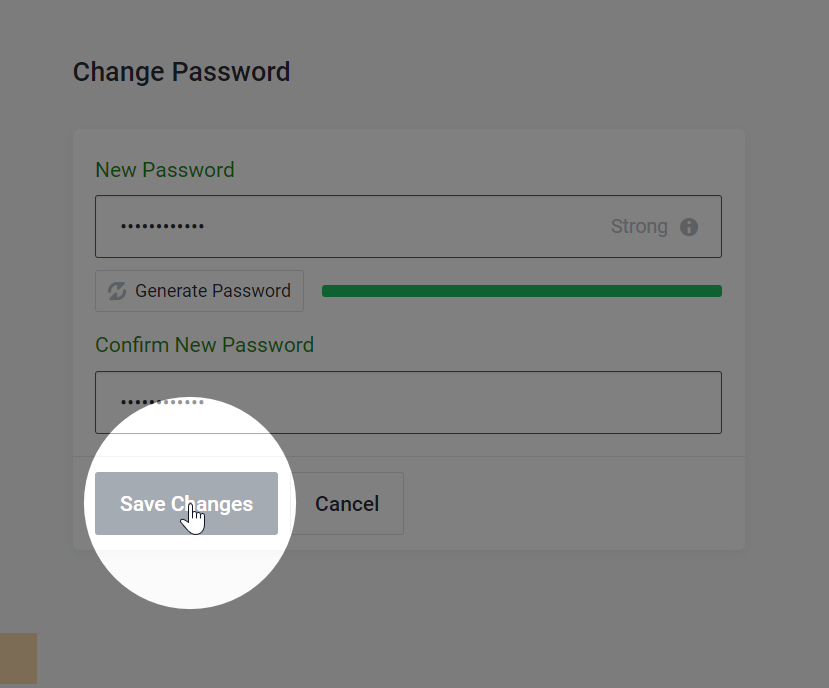
Step 5: Enter the new password and click Save Changes
Need help?
Can't find what you're looking for? Our support team is here to help.